Hire from Wentworth

Since 1975, Wentworth has prepared students to enter the workforce with significant experience through our cooperative education (co-op) program. All undergraduate day students must complete two co-ops to earn their degree, ensuring our graduates have current knowledge and skills to launch their careers. Whether through co-op or full-time employment, our students and alumni bring a solid skill set, extensive knowledge, and a passion for creative problem-solving. Wentworth works closely with prospective employers to help them recruit the talent they need and engage with the Institute in meaningful ways.
Date: Thursday, June 11 from 11:30am – 1:30pm
Where: Watson Auditorium on Wentworth’s Campus
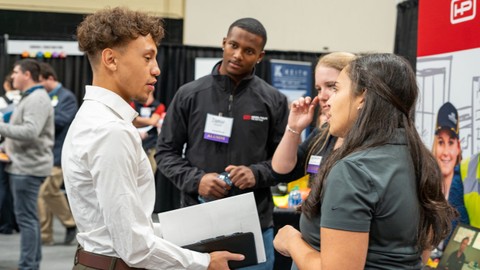
This event is ideal for recruiting graduating seniors seeking full-time jobs and students seeking fall 2026 co-ops. This is a networking event, set up in the style of a career fair. Registration for this event will open in May.

| Co-op Schedule | Typically Seniors Fall 2026 | Typically Juniors Spring 2026 | Typically Sophomores* Summer 2026 |
| Semester begins (first official start date of co-op) | Tuesday, September 8 | Tuesday, January 6 | Tuesday, May 5 |
| Last day to make an offer | Tuesday, September 15 | Tuesday, January 13 | Tuesday, May 12 |
| Latest Employment start date | Friday, September 18 | Friday, January 16 | Friday, May 15 |
| Co-op evaluations due – student & employer | Thursday, December 3 | Friday, April 3 | Friday, July 31 |
| Last day of official co-op semester | Tuesday, December 15 | Friday, April 10 | Friday, August 7 |
Looking to hire a Wentworth student or alum for a co-op or full-time position? Follow the below steps to set up an account and to post your opportunity. Posting directly to WITworks is free, if you use “Symplicity Recruit” to post to multiple schools there are charges associated with these postings.
- Visit the WITworks Login Page: https://wit-csm.symplicity.com/employers
- Select “Sign Up and Post Job.”
- Fill in required fields and select “Next.”
- Complete Job Position Information.
- Look for an e-mail notification to set your password which will be sent when your posting(s) has been approved by our office.
Still have questions? Schedule a time to meet with our Employer Relations Specialist.
Existing users, please log-in to your WITworks account at this link: https://wit-csm.symplicity.com/employers/.
Posting directly to WITworks is free, if you use “Symplicity Recruit” to post to multiple schools there are charges associated with these postings.
Create a New Posting
- After logging-in to WITworks, navigate to the “Jobs” tab or select the “Post a Job” tile from the home page.
- Click “Add New.”
- Fill in the required fields for a Job/Co-op posting.
- Position type: Select Full-time, Part-Time, or Co-op.
Note: Co-ops are 30-40 hrs/wk for 14-16 weeks. - Co-op Term: Which semester will the student be working?
- Fall (September – December)
- Spring (January – April)
- Summer (May – August)
- Job Description: Please try to be as detailed as possible so students know exactly what
they are applying for. - Desired Majors: Please be specific and deliberate with what majors you select. This will
help connect you to the appropriate candidates. - Resume Receipt: If you would like applications sent as they are submitted, please
select “e-mail” or “company website.” “Resume Books” are only generated on the day
the posting expires. - Select “Done.” You will receive an email when the job posting has been approved.
- Position type: Select Full-time, Part-Time, or Co-op.
Renew an Old Posting
- After logging-in to WITworks navigate to “Jobs” tab.
- Click “Add New.”
- Use the “Copy an existing posting” field.
- If necessary, select “Show Archived” and select from drop down menu.
- Edit as necessary: Work Term, Salary, Dates of posting, etc.